Wednesday, May 14, 2014

abstract images all of them


Color swatch day 2


this is the second day of the color swatch it was quite interesting, but at the same time very boring, but i finally got through it hopefully i can make some improvements.

Monday, May 12, 2014

vocabulary #1 Review

Analogous Colors: Any one of a group of related colors that are near each other on the color wheel.

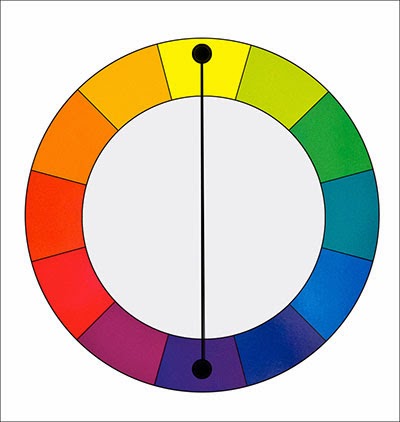
Complementary Colors: Colors opposite on the color wheel.
Primary Colors: Red, yellow, and blue.


Secondary Colors: Orange, green, and violet.
Tertiary Colors: Produced by mixing secondary colors.
Asymmetry: Lack or absence of symmetry.

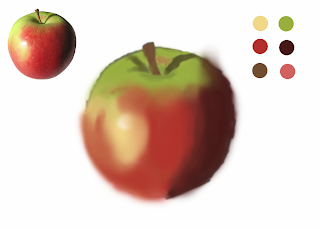
Second day at work apple blend


Here is the work that i did today for the apple blend, it isnt there yet but it is slowly getting there, i find the hardest part is getting the lines to make that general more realistic feel to the apple.

Vocabulary #2

Rhythm A patterned repetition of a motif.Directional Movement: A principle of visual movement in artwork.Proportion/Scale: Comparative relation between things.Balance: A state of equilibrium.Unity: The state of being one.Harmony: Agreement.Contrast: A striking exhibition of unlikeness.Emphasis (Focal Point / Center of interest): Something that is given great stress or importance.

Apple swatch texture


This is the how my apple swatch texture is looking, it is really hard getting that nice realistic feel to it, but i guess i just have to work on it more.

Vocab Review #2

Line- a tool that can define a shape that can be defined by edges.

Shape- An outline of a figure.
Form-The structure of the figure.
Color- The visual property of an object
Value/Tone-The lighness and darkness of the color, and quility of the color
Texture-The visual feel of an object
Space- The distance or area around the object
Perspective- The apperance at which an object is seen by
Friday, May 2, 2014

apple blend

I have been working on the apple for quite a few days now but i finally got most of it done not its just about the blending together of the colors more and also create more of the texture of  a real apple. 

Wednesday, April 16, 2014

Finished Apple face

This is finally the end result of the face apple, so now its done! here it is...

Thursday, March 20, 2014

zebra rhino assignment!

I have been working on the zebrino and also seem to get this done, its not completely done but it is the best its gonna get for now.

Sphere FINAL!!

Things that need to be graded this one is the sphere, so please mark of that i have this done!! But after a lot of work i finally got the sphere done. Great!!!! A hundred more things to do! 

Blended project(Grayscale)

I worked on blending the shades of black and white to make a gray scale, i did this between projects so its not the most perfect thing, this i thought i posted to the blog but i guess i didn't before.

Monday, March 3, 2014

The Sphere in Photoshop

What i worked on for today, was continuing the sphere project that Cornell assigned. At first it was kind of hard but i seemed to keep working through it and it gets easier and easier as i go on, and actually understand the way Photoshop works, because although i have a lot of experience with different programs and i get the concepts of them i have not really worked with Photoshop much before.


Friday, February 21, 2014

Bear animation

Today what we worked on in Cornell's was making a animated gif of a walking cycle of some sort, only using Photoshop. Note Cornell didn't give us any directions, which made it a little more challenging but i managed to figure it out myself. Here is the finished project! His name is Beary.

Friday, February 7, 2014

Google logo ideas


Cornell today had us brain storm some ideas for the Google logo with the idea in mind that "if we could create one thing in the world what would it be..." This i found was a lot harder than it sounds i threw some ideas together and some i liked more than others. The ones that i have circled are the ones that i like the most. I plan to expand on these ideas, farewell until then.

Monday, February 3, 2014

Statue of liberty


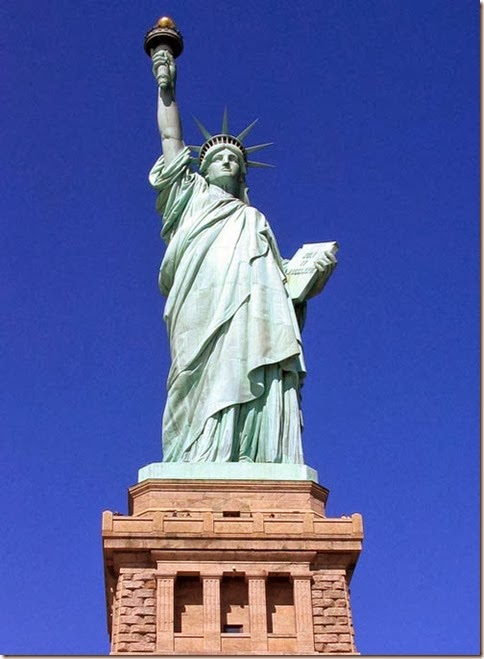
For Cornell's class today i worked on removing the background of the statue of liberty picture, which was originally blue. I completely removed the blue parts using the select tool and just deleting the blue out of the picture.


statue-of-liberty This was the original picture.

using the select to was pretty easy it was just getting all the small little tiny blue pixels that was the most annoying part but it really wasn't that hard, but it easily helped me learn as a student the easy ways to select certain sections of an image.